
 Transaction Account
 Savings Accounts
 Term Deposits
 Internet Banking
 Mobile Banking App
 Find a Branch
 Bank@Post
 Overseas Transfer / Currency
 ATMs
ATMs eStatements
Stay aware. Stay safe.
We're constantly on the lookout for scams. Make sure you are too.

Latest security alerts
Stay up to date with the latest alerts and take steps to safeguard your personal and banking information.
Stop. Check. Protect.
Three simple steps to keep your money and identity safe:
Stop
Check
Confirm before you act. Use official contact details to verify the request or ask someone you trust for advice.
Protect
If it’s suspicious, secure your accounts. Change passwords, enable multi-factor authentication, and report the scam to Police Bank.
Australians lost over $2 billion to scams in 2024 — and the threat is growing.
Scammers are becoming more sophisticated, using emails, calls, texts and social media to target everyday Australians.
At Police Bank, protecting our members is part of who we are.
In this film, hear from industry leaders and real experiences as we explore how scams are evolving, their impact, and what you can do to stay safe.
As part of the Scam-Safe Accord, a collaborative initiative across Australia’s customer-owned banks, credit unions and mutual banks, we’re investing in tools like Confirmation of Payee and real-time payment warnings to help protect your money.
But staying safe is a shared responsibility.
Stop. Check. Protect.
Taking a moment to pause and verify can help prevent financial loss.
Scam safety
Scams are becoming more common across Australia as technology makes it easier for scammers to convince their targets to hand over money or sensitive information.
Your best protection against these scammers is to detect suspicious activity early.
Red flags to watch out for
There are several indicators that something could be a scam. Here are some common warning signs to watch out for:
- You don’t know or recognise the person asking for money or personal details.
- The deal or offer you’ve received seems ‘too good to be true’ – in most cases, it is.
- You’re being pushed to click on a link or open an attachment.
- The ‘business’ you’re dealing with isn’t correctly registered when you check its details on ABN Lookup.
- You’re asked to open new accounts or create a new PayID.
- You’re asked to make a payment using an unusual or specific methods (for example, by supplying gift vouchers or using cryptocurrencies). These requests and behaviours are typical of a scam.


We’ll never ask you to:
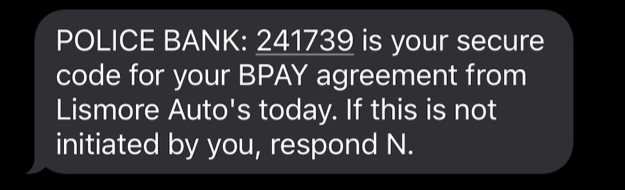
- Share sensitive details including passwords, your pin, or a one-time passcode.
- Click a link to log into your account.
- Grant remote access to your computer, phone, or tablet.
- Transfer money to another account to keep it safe.
Please take a minute to read about some of the most common scams below and what you should look out for.
Common scammer tactics
Scammers use a range of strategies to try forcing their targets into making a mistake. Below are some of the techniques they may use to trick you.
Asking for personal details
Scammers will try to get you to reveal personal details including bank account details and passwords.
They may also ask for seemingly mundane information like the names of your pets or where you grew up (hoping to get answers to your security questions).
They may even impersonate bank staff or IT support personnel to trick you into sharing information.
Police Bank will never ask you for account details, your PIN or your passwords, and you should never share this information with anyone.
If you have received a suspicious phone call, email or SMS link, make sure you:

DO NOT
click on links

DO NOT
enter any login details

DO NOT
share access to your computer

DO NOT
share personal details including your full name, your birth date, PIN, security codes or passwords
Safer, more secure passwords
Your password is the first line of defence against scams and fraud. The stronger it is, the better protected your accounts and personal information will be.
To help keep you safe, we recommend using a password that includes both uppercase and lowercase letters, numbers and special characters.
Stronger passwords make it harder for scammers to access your information and are a simple but effective way to stay protected online. Head over to Settings in your Mobile Banking App or Internet Banking to strengthen your password today.
Police Bank will never ask for your password or security codes by email, phone or SMS. If something doesn’t feel right, stop and contact us directly.
Some tips to create a safe password
- Avoid anything that’s easily guessed such as your address or birthday.
- Don’t share your passwords with anyone.
- Don’t write your passwords down anywhere.
- Make your passwords unique – reusing a password makes it less secure.

Spot the most common scams
Learn about the most common scams out there so you can avoid them.
If you suspect a scam, please contact us on 131 728
For more information about online scams and staying safe visit
Related articles

Scams Awareness week
With most scams involving a form of impersonation, Scamwatch is warning Australians and are urging you take additional precautions towards who you’re dealing with this November.

Protecting your kids from scams
Scammers go after all sorts of Australians, including children and teenagers. Here are some of the scams targeting young people – and what you can do to shield them from danger as they go back to school.
Tax scams to watch out for
Many of our members can spot crimes quickly, but sometimes it helps to get an update on the types of scams doing the rounds. Here are a few things to keep on the radar at tax time.
More helpful information

Fighting fraud
Each year more than one million Australians are the victims of fraud. On this page, Police Bank can teach you how to identify the signs and keep yourself safe when making transactions online.
Confirmation of Payee
To help protect our members from fraud, scams and mistaken payments, we’ve launched Confirmation of Payee (CoP) — a new security feature that adds an extra layer of protection when you’re sending money.
Lost or stolen cards
If your card has been lost or stolen, it’s important to act quickly to protect your account and prevent any unauthorised transactions.